

It depends on how your campaigns are currently set up, but your Google Display Ads Demand Gen situation is changing either way. Google is retiring standalone Display campaigns and moving that inventory into Demand Gen, as Search Engine Journal reported.
If you run Google Ads for your business, this may sound like one more platform update you can safely ignore until later. But if Display campaigns are part of how you stay visible, reach past website visitors, or keep your name in front of potential customers, this is worth a closer look.
The good news: you do not need to panic. You do need to review your campaigns before this change affects how they are managed. Think of it like moving your shop into a new building. Your products are still there, your customers are still reachable, but you want to make sure the shelves, signs, budget, and security cameras all end up where they belong.
What Is Actually Happening to Google Display Ads?
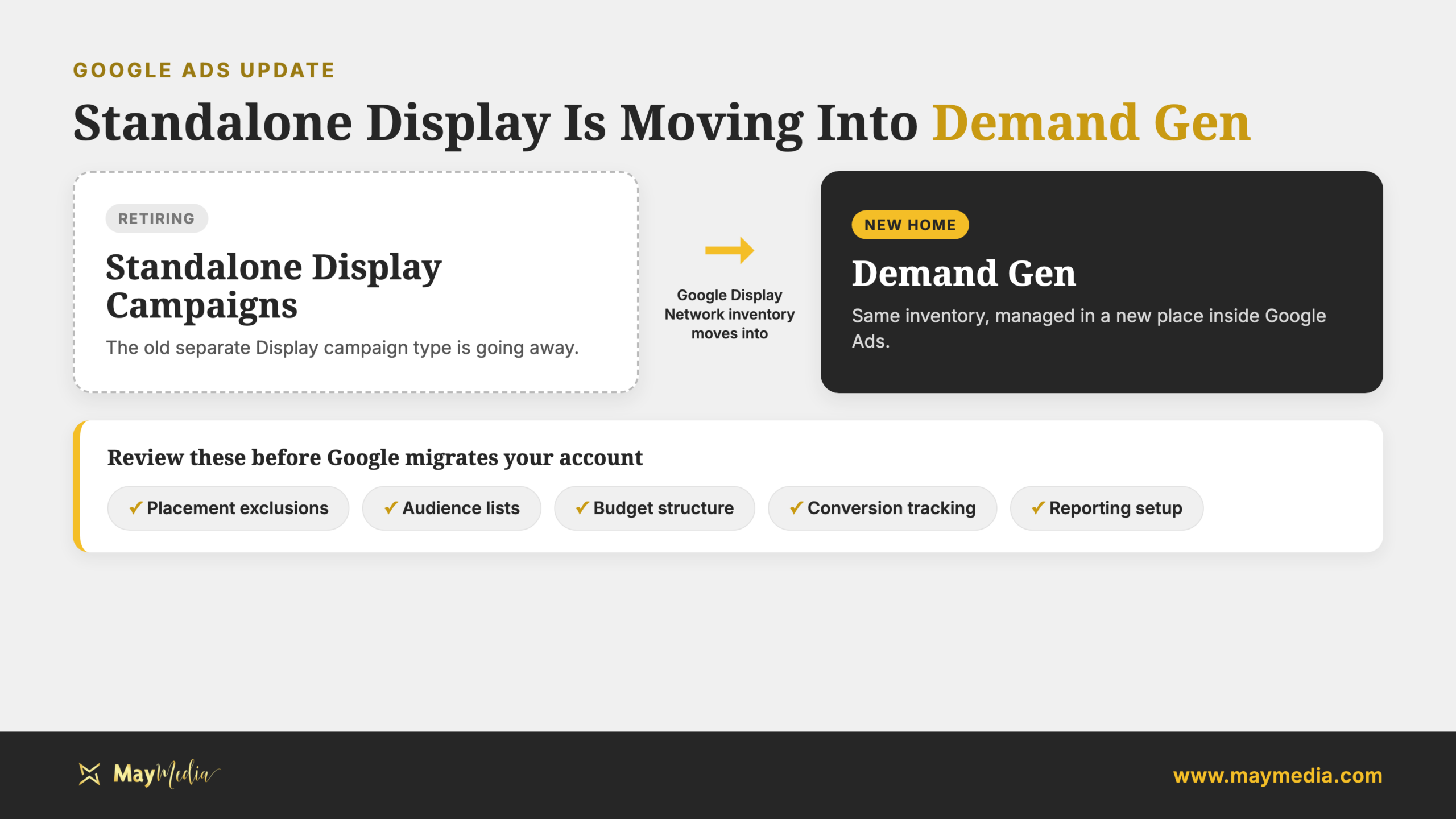
Google is retiring Display as its own standalone campaign type. In plain English, that means Display ads will no longer live in the same separate campaign setup advertisers have used in the past.
Instead, Google Display Network inventory is being moved into Demand Gen. That changes where advertisers manage campaigns, how they review reporting, and how they handle controls inside Google Ads.
Display ads are not disappearing
This is the most important part for small-business owners: Google Display Network inventory is still part of the picture.
The change is about campaign structure and management. It does not mean that every visual ad opportunity you used before is suddenly gone. What changes is where that inventory sits inside Google Ads and how you manage it.
So if you have used Display ads for:
- Retargeting: Showing ads to people who already visited your site
- Brand awareness: Staying visible while people compare options
- Local visibility: Reaching nearby customers before they are ready to search
- Low-cost reach: Getting more impressions than search ads alone can provide
Those goals may still matter. The workflow is what needs your attention.
Why Google Is Moving Display Into Demand Gen
This move fits a bigger pattern in digital advertising. Platforms are simplifying campaign types and putting more tools under broader campaign categories.
That can be annoying if you are used to the old way of doing things. And honestly, most small-business owners do not have time to relearn ad platforms every time Google changes a menu or campaign name.
But this is why the update matters. When Google changes the structure of a campaign type, it can affect the details that keep your ad spend under control.
Those details may include:
- Inventory management: Where your ads are eligible to show
- Exclusions: Where you do not want your ads to appear
- Reporting: How you understand what is working
- Campaign controls: The settings that shape spend, targeting, and performance
For a small business, those are not small details. They are the difference between an ad campaign that quietly supports growth and one that spends money in places that do not help you.
When Is the Google Display Ads Demand Gen Change Happening?
The Google Display Ads Demand Gen change is not something to ignore until the last minute. Google is moving standalone Display campaigns into Demand Gen, and advertisers should expect campaign management to shift as that happens.
You do not need to know every technical detail to respond well. You just need to know that this is a real account change, not just a new label.
Here is the practical version:
- Standalone Display is being retired: The old separate Display campaign type is going away.
- Display inventory is moving into Demand Gen: Google Display Network inventory will be managed there instead.
- Campaign controls may need review: Settings, exclusions, and reporting deserve a closer look.
- Your account should not be left on autopilot: Waiting without reviewing your campaigns can create surprises.
If you are currently running Display campaigns, now is a good time to ask a simple question: “Do we know exactly what these campaigns are doing for us?”
If the answer is no, this change is your nudge to find out.
Why This Matters for Your Small Business
If you only run basic Search campaigns, this update may not affect your day-to-day advertising right away. But if you have active Display campaigns, retargeting campaigns, or visual ads supporting your sales process, this deserves your attention.
Your campaign settings may not behave the same way
Standalone Display campaigns often have years of little decisions built into them. Maybe you excluded certain placements. Maybe you adjusted audiences over time. Maybe you have reporting habits that help you spot waste before it gets expensive.
When campaigns move into Demand Gen, you want to make sure those important decisions are still visible, understood, and properly managed.
Before the change affects your account, review:
- Placement exclusions: Places where you do not want your ads to appear
- Audience lists: Groups of people you are trying to reach again
- Creative assets: Images, headlines, descriptions, and other ad materials
- Budget structure: How much you spend and where that budget goes
- Conversion tracking: Whether leads, calls, forms, or purchases are being measured correctly
- Reporting setup: Whether you can clearly tell what is working
This is especially important if your business has a tight ad budget. A few weeks of messy targeting or unclear reporting can waste money quickly.
What You Should Do Before Google Migrates Your Campaigns
You do not need to become a Google Ads expert overnight. But you should make sure someone is actively watching your account before your Display campaigns are managed in a new way.
Start with a simple campaign audit
Pull up your current Display campaigns and document what is working. You want a clear before-and-after picture.
Look at:
- Which Display campaigns are active
- Which audiences seem most valuable
- Which placements or categories you have excluded
- Which ads get attention but do not lead to action
- Which campaigns produce real leads or sales
- Which budgets are most important to protect
This gives you a baseline. If performance changes later, you will have something useful to compare against.
Without that baseline, you are guessing.
Protect the settings that took time to build
Many businesses spend months cleaning up paid advertising campaigns. If you have worked hard to avoid poor placements, irrelevant traffic, or wasted spend, do not assume every protection will carry over in the exact way you expect.
Document the important pieces before anything changes.
That may include:
- Excluded placements
- Audience targeting
- Conversion goals
- Budget settings
- Bidding approach
- Reporting views
- Creative assets
This is not busywork. It is how you protect the parts of your campaign that are already doing their job.
Ask what success should look like now
A platform change is also a good time to revisit your goals. Display campaigns are often used for awareness, retargeting, or staying visible during a longer buying process.
Those goals are valid, but they need clear measurement.
Ask yourself:
- Are we trying to get more form fills?
- Are we trying to bring past visitors back?
- Are we trying to stay top of mind locally?
- Are we trying to support a larger sales funnel?
- Are we measuring the result that actually matters?
If your reporting only shows impressions and clicks, you may not have enough information. Clicks are helpful, but they do not automatically mean your advertising is working.
What to Watch After the Migration
Even if the change goes smoothly, you should monitor performance closely once your Display activity is managed through Demand Gen. Campaigns can look similar on the surface while behaving differently behind the scenes.
Keep an eye on:
- Spend pacing: Is the campaign spending faster or slower than expected?
- Lead quality: Are inquiries still coming from the right kind of customer?
- Cost per conversion: Did your cost per lead or sale change?
- Reporting clarity: Can you still understand where performance is coming from?
- Audience behavior: Are you reaching the people you meant to reach?
- Creative performance: Are your images and messages still doing their job?
This is where good reporting matters. If your current reports only show surface-level numbers, this is a good time to improve how you measure campaign success.
If you need help reviewing your paid campaigns, May Media can support your digital marketing strategy and help you decide what to keep, change, or test next.
How This Could Be a Good Thing
It is easy to see this update as another annoying Google Ads change. And if you are busy running your business, that reaction is completely fair.
But there may be an upside. A change like this gives you a natural reason to clean up old campaigns, review your message, and stop spending money on anything that no longer supports your goals.
For small businesses, that cleanup can be valuable.
You might find:
- Campaigns that are still running but no longer needed
- Audiences that should be updated
- Exclusions that need to be preserved
- Ads that should be refreshed
- Reporting gaps that make decisions harder
- Budgets that should be moved to stronger campaigns
The businesses that benefit most will not be the ones that simply let the change happen and hope for the best. They will be the ones that use this moment to look closely at what their ads are doing and make smarter choices.
Talk With May Media About Your Google Ads Strategy
If your business runs Display campaigns, now is the time to review them before Google fully shifts that inventory into Demand Gen. You do not have to rush, but you also do not want to wait until performance changes and then try to figure out what happened after the fact.
May Media helps small businesses make sense of updates like this without the jargon or panic. If you want a second set of eyes on your Google Ads account, our team can help you audit your campaigns, protect what is working, and build a smarter plan for what comes next. Start with our marketing consultation team and we will help you take the next practical step.